
Searching for records quickly is crucial in managing your sales and field operations efficiently. With SPOTIO's search tool, you are able to locate and access your current record database with ease.
Search Options
If a record already exists inside your account, then you can search on either the map or list view of both the web and mobile app. Some of the key words you can search for include:
- House Number
- Street Name
- City
- Full Address
- Name (first name, last name or whole name)
- Phone Number
- Email Address
- Any custom field you have added
Searching on the Web
To search for an existing record on the web app:
- Click on the Map icon.
- Tap in the text box to the right of the magnifying glass at the top.
- Type in keywords in the Search for records or places text box.
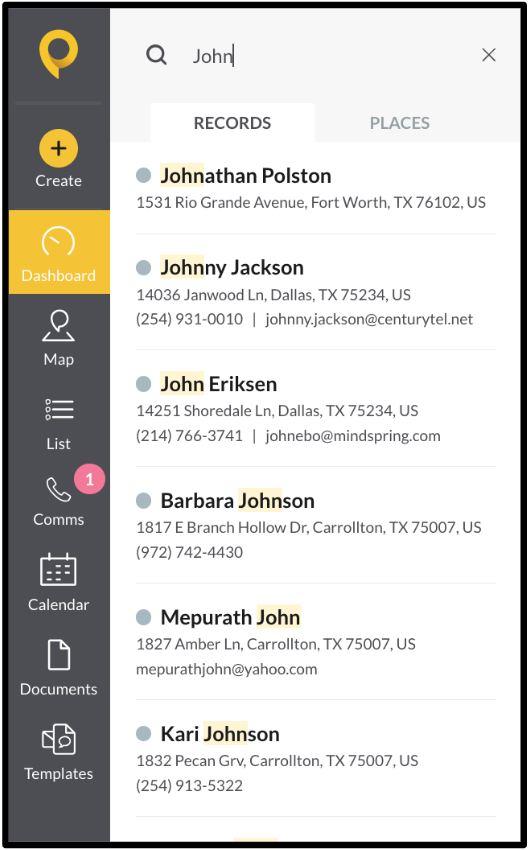
- Under Records, select the record.
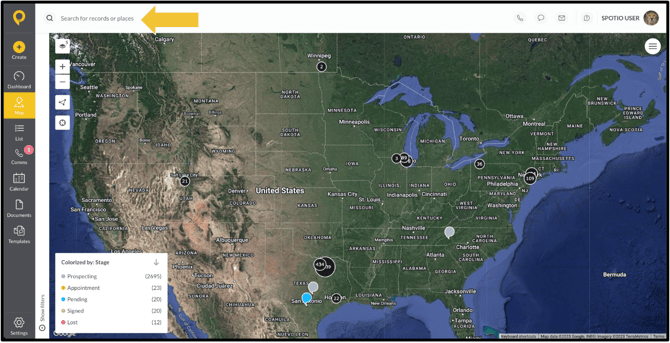
The search bar across the top in the web in available in all icon panels in the gray sidebar, allowing you to search for records when needed.
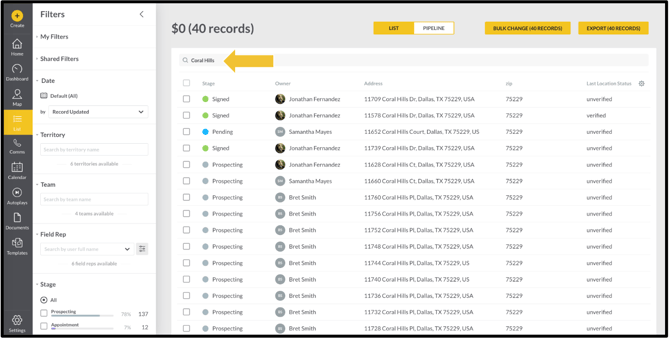
You can also search for records in the List view. Simply enter any keywords into the search bar to find relevant records. The search function in the List view works seamlessly with filters, allowing you to refine your results and pinpoint exactly what you’re looking for. You can read more about filters in SPOTIO's Map Intelligence: My Filters knowledge base article.
Searching on the Mobile
To search for an existing record on the mobile app:
- Click on the Map icon.
- Tap on the magnifying glass icon in the bottom right.
- Type in keywords in the Enter a Keyword text box.
- Under Search Result, select the record.
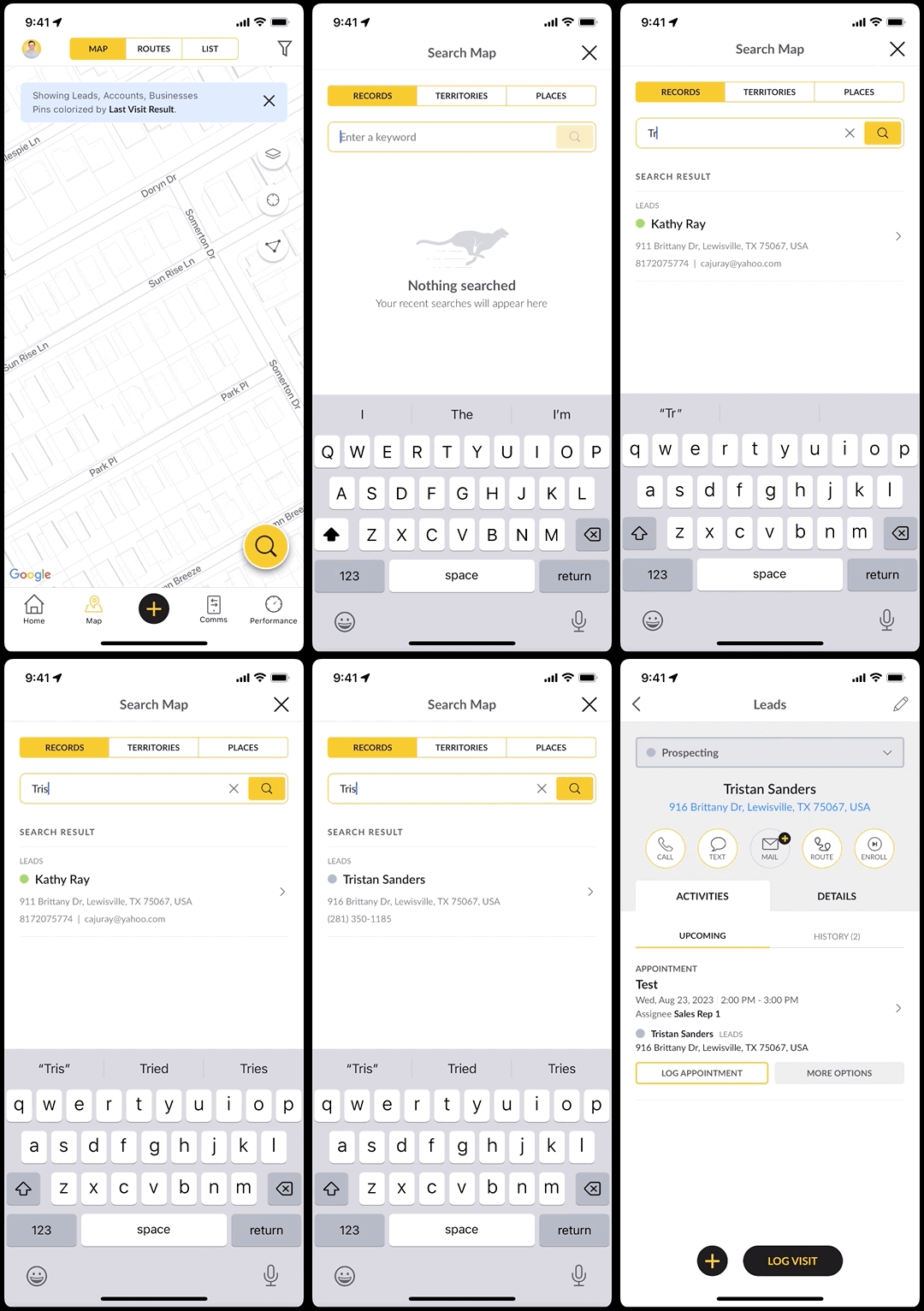
The magnifying glass can also be used in the List view for searching.
FAQs
Can I search for an address that does not have a record created inside of my account?
You are unable to search addresses that do not currently exist unless you have Google Places available on your SPOTIO plan. With Google Places, you would be able to search for a residential or commercial address and be taken to that location on the map when selected. You can read more in our How To Use Google Places knowledge base article.