
For: Admins | Where: Web App
How to Add a SPOTIO Number to a User
Start by navigating to your User menu from the Admin Settings.
- Click on Settings.
- Click on Users & Teams.
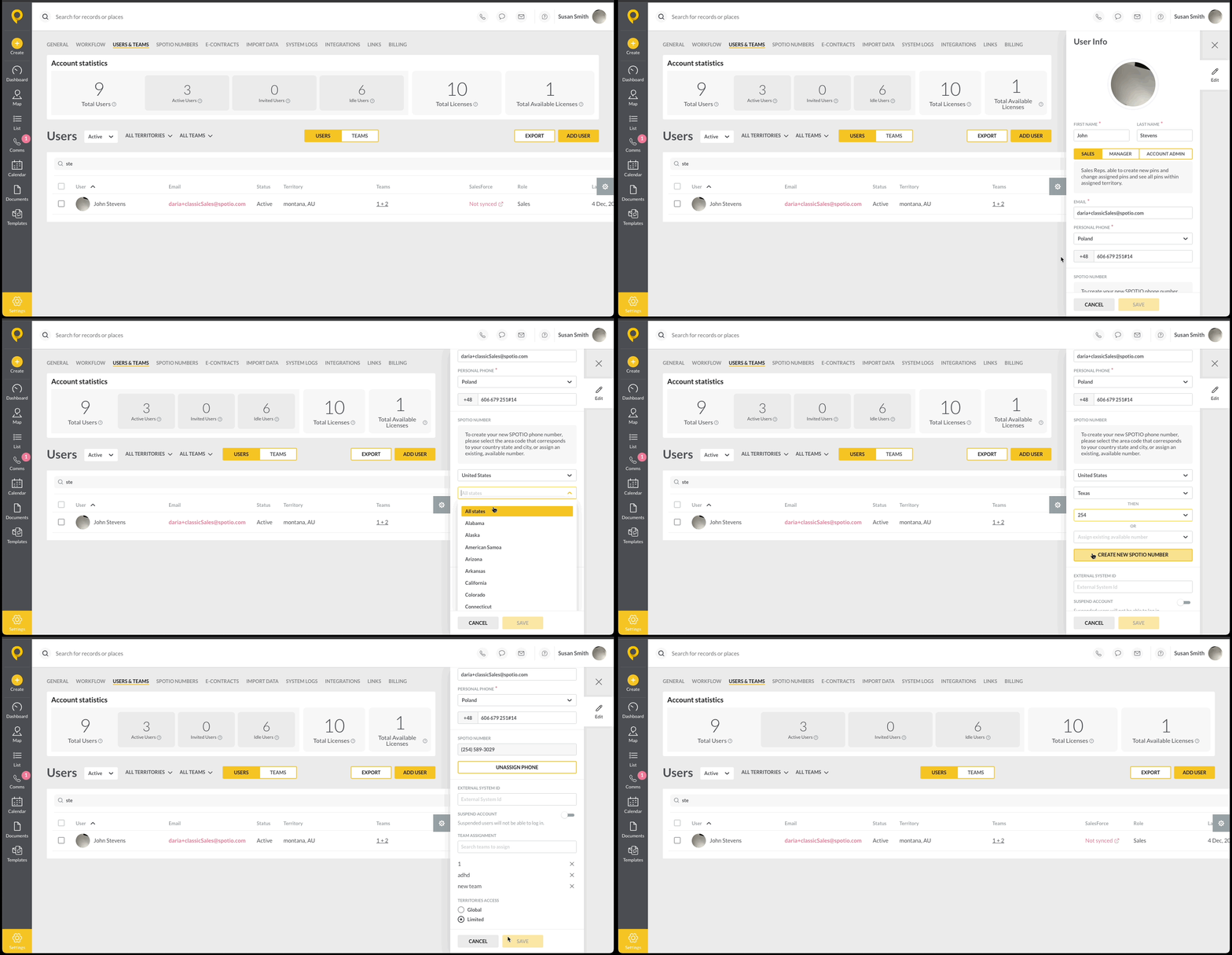
- From the Users tab, select the user you’d like to provision for access. This will pull up the User Info menu on the right side of the screen
- On the User Info menu, scroll to the SPOTIO Number section. Here will be able to select your desired country, state and area/dialing code.
- Click Create SPOTIO Number (you will see the phone number populate on the user menu).
Note: There are a limited number of available phone numbers in each area code, if your first option is not available, please try an adjacent area code.
How to Add a SPOTIO Number to Multiple Users at Once
This option is only available for accounts that started SPOTIO before Feb 2023.
- Click on Settings.
- Click on Users & Teams.
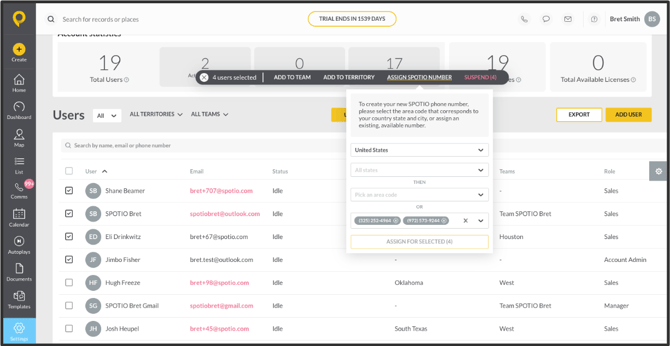
- From the User menu, select the team members you’d like to add a SPOTIO number for. Then, select Assign SPOTIO Number.
When you select Assign SPOTIO Number, the selection menu will pop down. Confirm your country, state, and area/dialing number you’d like to provision these users for and select Assign for Selected Users (#).
How to Remove a SPOTIO Number from a User
- Click on Settings.
- Click on Users & Teams.
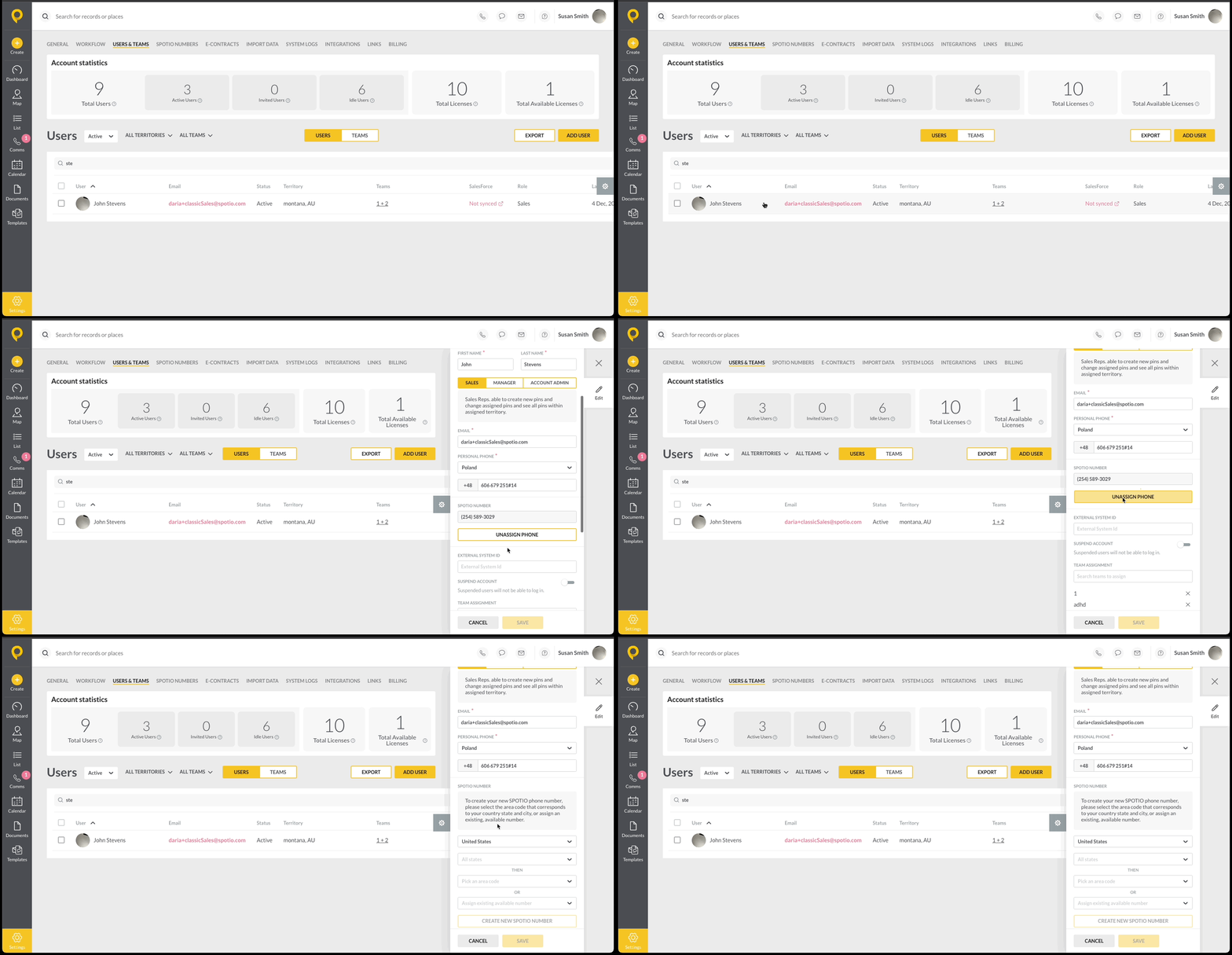
- On the Users tab, select the user you wish to remove the SPOTIO Number from. The right hand User Info menu will pop up.
- Navigate to the SPOTIO Number area and click Unassign.
- Click Save to complete.
FAQs
What does it mean when I get the message “No available numbers matching your criteria. Try different area code or state.”
If you receive this message, then there are no available phone numbers in that area code, try another area code in your intended area or try the initial code after a wait.